StereoPi Example
Description
This is a cross-platform StereoPi receiver solution, via FMETP STREAM.
Troubleshooting & Notes
- It’s important to start your Unity app first. If StereoPi can’t reach your active IP & Port, it will shut down the mjpeg stream automatically.
- Whenever you restart your StereoPi, you have to connect to ssh for shutting down the default stream, and run our suggested command with your target device’s IP & Port.
Setup Guide
- In
FMNetworkManager, change theNetworkTypeto “Data Stream” or “StereoPi(deprecated)” - In Receiver Event, assign the GameViewDecoder to process the data via
Action_ProcessMJPEGData().
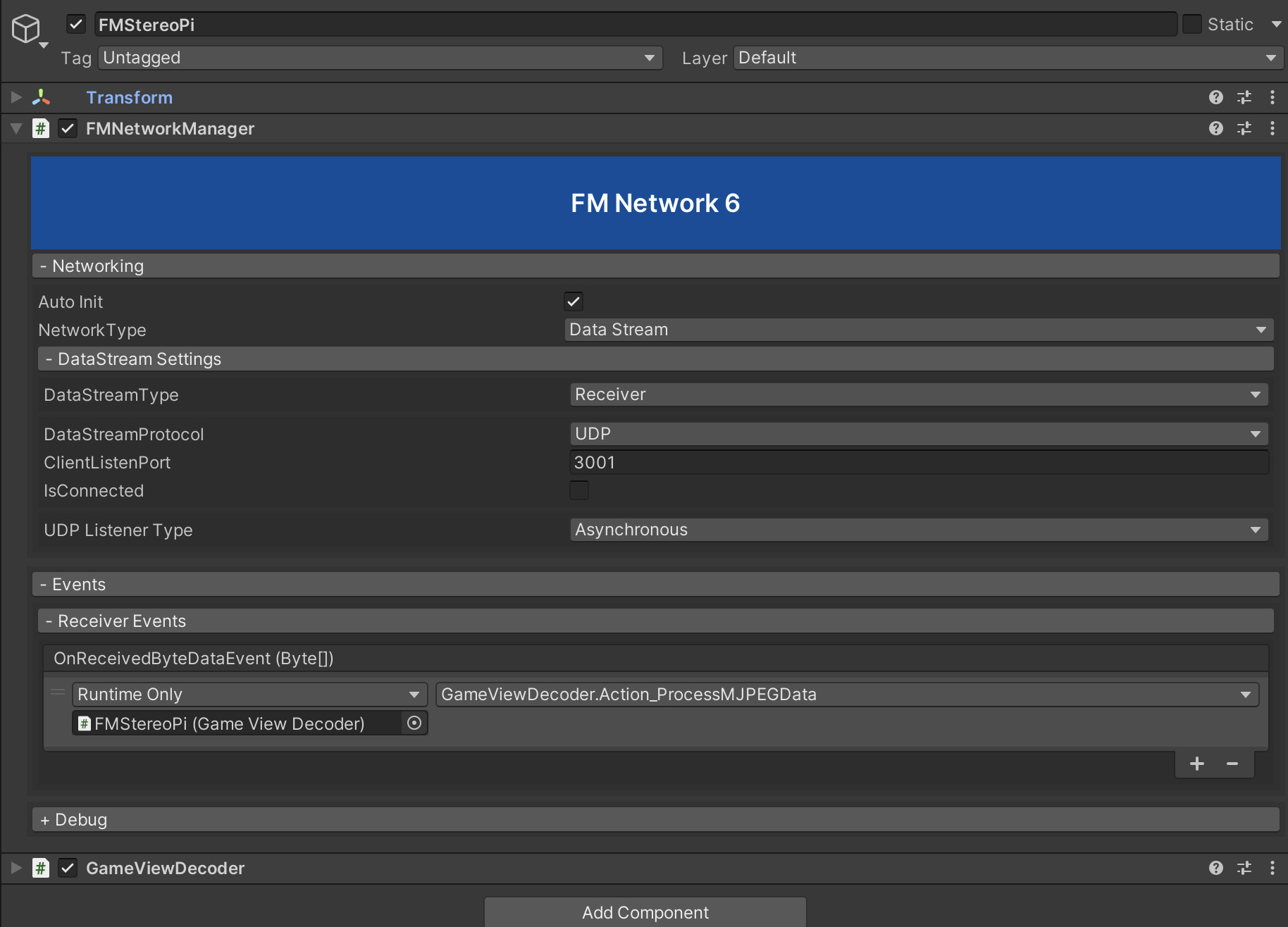
- It requires changing the StereoPi Streaming mode via command line/terminal.
//1. Connect to your StereoPi via ssh
ssh root@192.168.xx.xx
Pwd: root

//2. Stop Default Stream
/opt/StereoPi/stop.sh

//3. Start StereoPi stream, either in UDP or TCP
//where 192.168.1.10 3001 is the IP and port of your target device(receiver)
//command for UDP Stream
raspivid -t 0 -w 1280 -h 720 -fps 30 -3d sbs -cd MJPEG -o - | nc 192.168.1.10 3001 -u

//command for TCP Stream
raspivid -t 0 -w 1280 -h 720 -fps 30 -3d sbs -cd MJPEG -o - | nc 192.168.1.10 3001